Animal Chiropractic Software
vs Spreadsheets
A practical comparison of a purpose-built animal chiropractic EMR and a stack of spreadsheets and paper — including documentation, field access, communication, and optional payment integrations.
30 days free • No credit card
The Real Cost
Why Spreadsheets Are Costing You Money & Time
Data Loss & Security Risk
A locally stored spreadsheet can be lost with a device, while cloud-file protection depends on account security, sharing settings, and backup practices. Patient records deserve intentional access controls and recovery planning.
Hours Lost to Manual Work
Patient records, invoices, authorizations, and messages kept in separate tools create repeated searching and duplicate entry. The actual time cost varies by practice, so measure your own workflow before assigning a savings figure.
Recordkeeping Gaps
If an authorization expires or a record request arrives, information spread across files and email threads can be difficult to assemble. Spreadsheet version history varies and should not be treated as a substitute for a documented clinical workflow.
Money Left on the Table
Re-entering invoices, sending payment instructions manually, and rebuilding visit recaps all add administrative handoffs. Connected tools can reduce that work, but the result depends on which integrations you choose and configure.
Feature Comparison
Spreadsheets vs Chiro Stride
Here's exactly what you're missing by staying with spreadsheets. (See how Chiro Stride handles all of these features and more.)
Feature
Offline Functionality
Spreadsheets
Varies by spreadsheet app and local-cache settings
Chiro Stride
Core records and visit drafts offline; sync after reconnecting
Impact
HighFeature
Species-Specific Fields & Spine Maps
Spreadsheets
Manual custom columns required
Chiro Stride
Built-in for equine, canine, feline, bovine, porcine, caprine, exotic, and other
Impact
HighFeature
SOAP Documentation
Spreadsheets
Free-form text, no structure, easy to miss fields
Chiro Stride
5-step tap-first ScribeWizard with structured narrative composition
Impact
CriticalFeature
Signed-Note Protection
Spreadsheets
Anyone can edit any cell at any time
Chiro Stride
Draft → finalized → signed lifecycle; signed notes protected from routine edits
Impact
CriticalFeature
Vet Authorization & Referrals
Spreadsheets
Manual email threads, easy to lose
Chiro Stride
Digital forms, e-signatures, expiration tracking, and visual warnings
Impact
CriticalFeature
Owner Communication
Spreadsheets
Manual email/SMS, no integration
Chiro Stride
Digital intake, consent, reminders, and on-demand owner summaries
Impact
MediumFeature
Message Delivery Tracking
Spreadsheets
None — you guess if it landed
Chiro Stride
Email delivery/bounce tracking; SMS sent/failed status
Impact
MediumFeature
Payment Collection
Spreadsheets
Mail a paper invoice, hope a check arrives
Chiro Stride
Optional Stripe payment links after connecting your account
Impact
HighFeature
Financial Integration
Spreadsheets
Manual re-entry into QuickBooks
Chiro Stride
QuickBooks Online sync after connecting the integration
Impact
HighFeature
Data Security
Spreadsheets
Depends on file storage, account security, and sharing controls
Chiro Stride
Encrypted in transit + at rest, row-level security per practice
Impact
CriticalFeature
Audit Trail
Spreadsheets
Version history varies by product and file settings
Chiro Stride
Timestamps and workflow history where captured
Impact
CriticalFeature
Time to Find a Patient Record
Spreadsheets
Depends on file structure, naming, and manual filters
Chiro Stride
Indexed search by patient or owner
Impact
MediumOne connected record
See the handoffs one connected workflow keeps together
Patient context can stay connected as the practitioner documents the visit, schedules follow-up, and creates the invoice.
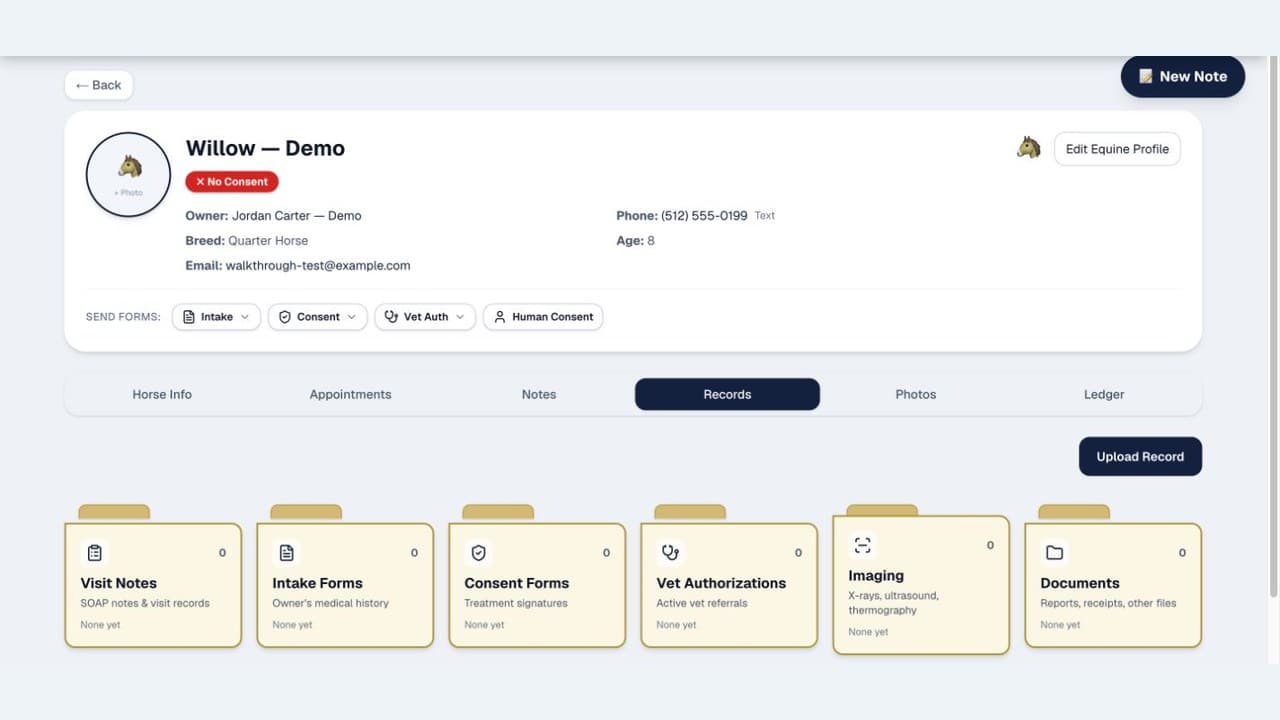
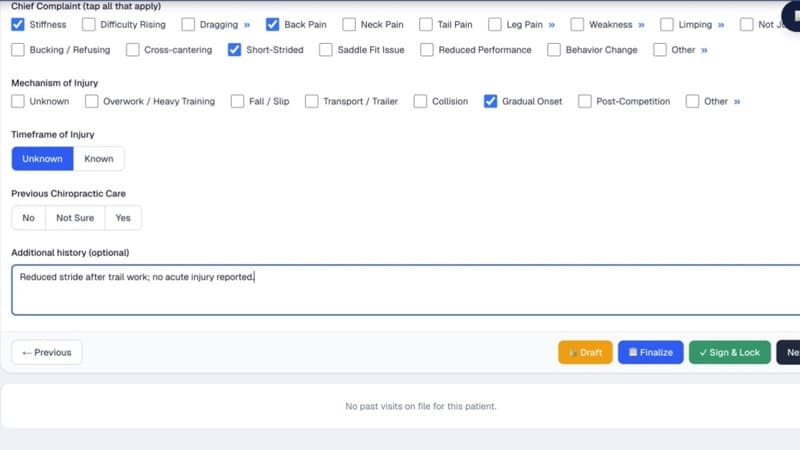
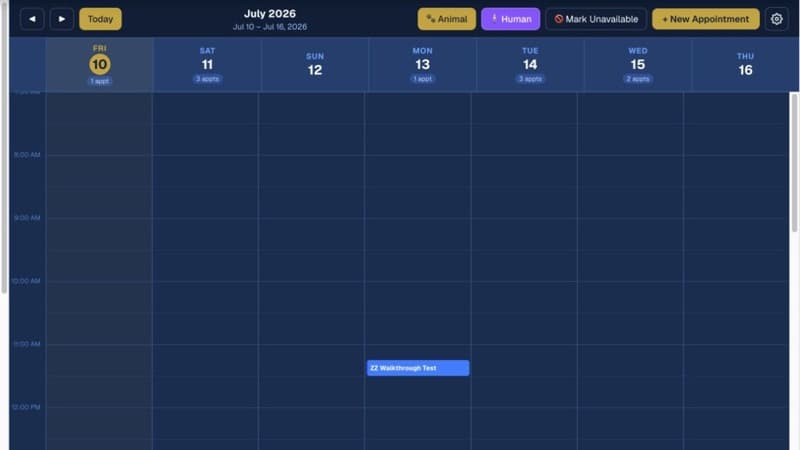
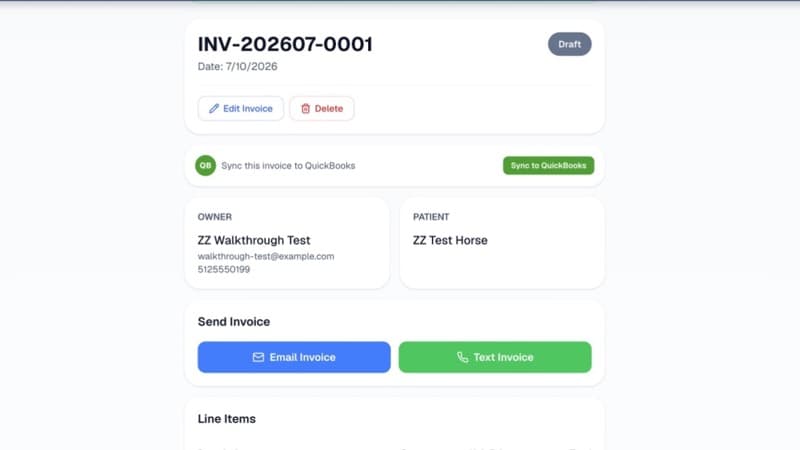
Product screens use synthetic demonstration data. Online sending, payments, and accounting sync require connectivity and the applicable connected accounts.
Measure Your Workflow
Use Your Numbers, Not Ours
Track how long you spend finding a patient history, authorization, or prior note during one normal week.
Count how often the same visit details are retyped into invoices, accounting tools, messages, and reports.
Measure the manual steps required to send a recap, schedule a reminder, and confirm what happened.
Why Modern Software Wins
What a Real Animal Chiropractic EMR Does
Signed & Locked Clinical Notes
Draft → finalized → signed lifecycle. Signed notes are timestamped and protected from routine edits, with an authorized unlock path for corrections.
Instant Record Access
Search by patient name, owner, or breed — results in seconds. No more hunting through folders, tabs, and forgotten filenames.
Vet Authorization & Referrals
Send authorization or referral requests, collect e-signatures, and track expiration dates with the patient record. Requirements still need to be verified for your jurisdiction.
Stripe Connect Payouts
After connecting Stripe, add a payment link to an invoice so proceeds route to your account. QuickBooks sync is available after that integration is connected.
Owner Summary Emails
Generate an owner-friendly visit recap after finalizing or signing, review it, and send it on demand.
Delivery-Tracked Messaging
Email and SMS activity appears in one log. Email supports delivery and bounce tracking; SMS is recorded as sent or failed.
Digital Intake & Consent
Send forms by text or email. E-signatures built in. Signed copies attach to the patient record automatically.
Smart Scheduling
Calendar with appointment types, duration, location, day prep, automatic email reminders, and consent-gated SMS reminders.
Real Scenarios
How Software Changes Your Day
Spreadsheet Way:
- You're at a barn with no cell signal. You need to check a client's vet authorization. You can't access the spreadsheet without Wi-Fi.
- Back home, you find the authorization in an email thread and discover that it expired.
- You need to contact the veterinarian and decide whether the appointment can proceed under the rules that apply.
Chiro Stride Way:
- You open Chiro Stride at the barn and access the patient information cached for offline use.
- Vet authorization status, expiration date, and last-visit notes are right there — cached locally.
- You run the 5-step ScribeWizard offline, then reconnect to sync and sign the note.
Spreadsheet Way:
- End of the day: you write the SOAP note in a free-form text field. Some fields you skip because the template doesn't enforce them.
- You send an invoice and visit recap through separate manual steps, then track the follow-up in another place.
- At month-end, you re-enter invoice details into your accounting system and reconcile the records.
Chiro Stride Way:
- You sign the note online, then review and send an owner summary and create an invoice.
- If Stripe Connect is connected, add a payment link that routes proceeds to your account. If QuickBooks is connected, eligible transactions can sync.
- The Communications log shows reminders, summaries, and review requests with channel-specific status: email delivery/bounce tracking and SMS sent/failed status.
Ready to Leave
Spreadsheets Behind?
See how Chiro Stride can organize records and reduce repetitive administration in your own workflow. Veterinary requirements still need to be verified for your jurisdiction.
30-day free trial • No credit card • Full feature access
Questions?
Spreadsheets vs Software FAQs
Q.Why move off spreadsheets if my practice is small?
Spreadsheets can work for a small practice, but separate files, email threads, invoices, and authorization records create duplicate entry and make a complete patient timeline harder to follow. A purpose-built system keeps those workflows linked without claiming a universal time-savings number.
Q.Is Chiro Stride actually different from a generic veterinary EMR?
Yes. Chiro Stride is purpose-built for animal chiropractic. The 5-step ScribeWizard is shaped around chiropractic SOAP, the spine maps are species-specific, and veterinary-authorization records live with the patient. Core records and visit drafts work offline; voice transcription and signing require a connection.
Q.What if I've already built a complicated spreadsheet system?
ChiroStride does not currently offer a one-click general spreadsheet import. Add the active patients and owners you need, and keep the existing spreadsheet as a read-only historical reference during the transition.
Q.Where do payments land?
When you connect Stripe Connect and add a payment link to an invoice, payment proceeds route to the Stripe account in your name rather than being held by Chiro Stride.
Q.What about message tracking — can I actually tell if a reminder got delivered?
Email and SMS activity appears in one Communications log. Email supports delivery and bounce tracking; SMS is recorded as sent or failed.
Q.Is patient data secure?
ChiroStride data is encrypted in transit and at rest in a Postgres database with row-level security. Notes use a draft → finalized → signed lifecycle, and signed notes are protected from routine edits. Spreadsheet security varies by where the file is stored and how sharing is configured.