Features that
actually matter.
Every tool is designed around the real workflow of animal chiropractors, with a focused interface intended to reduce unnecessary steps.
Complete profiles. Full history.
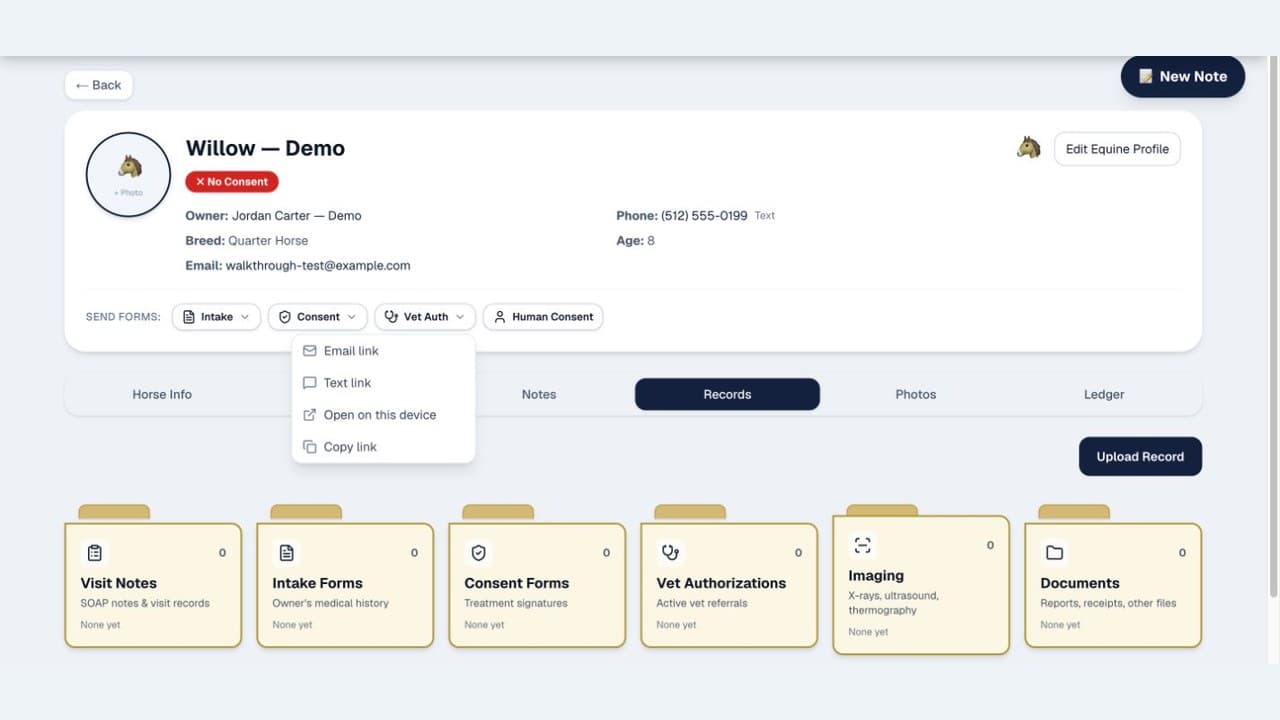
Build detailed profiles for every patient — equine, canine, feline, bovine, porcine, caprine (goat), exotic, or any "other" species. Track breed, age, discipline, medical history, photos, and complete visit timelines — all in one place.
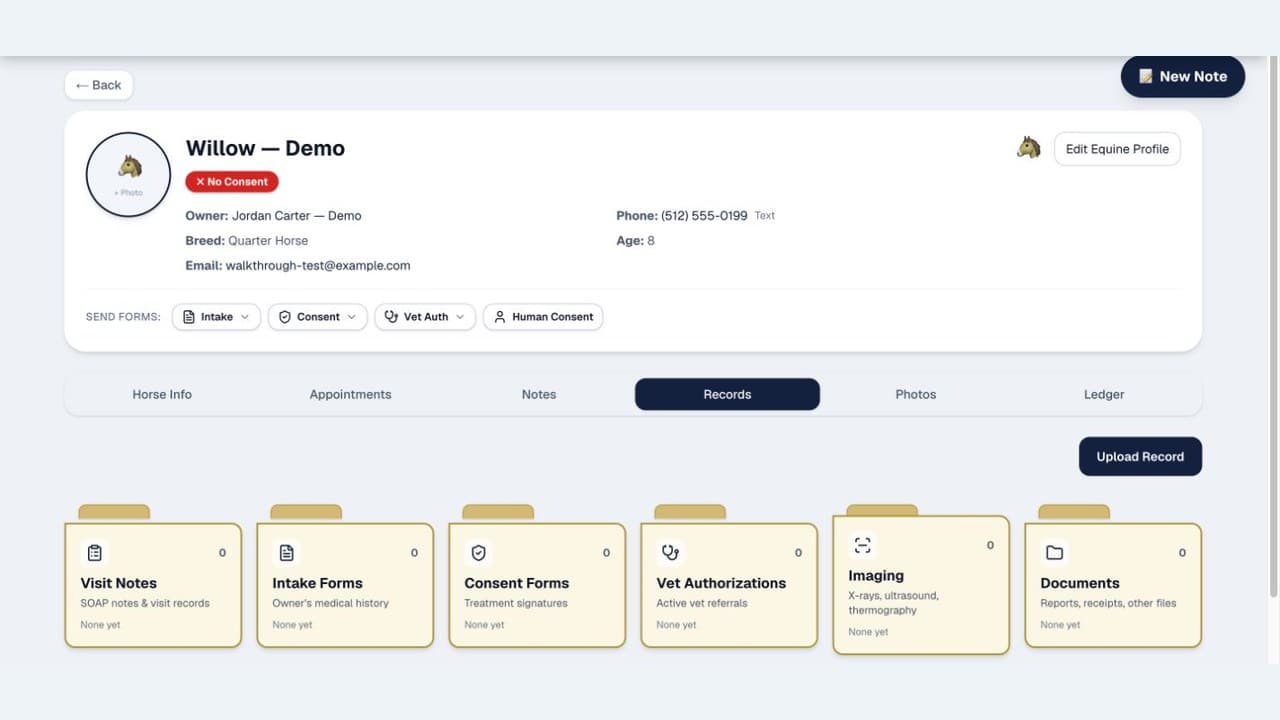
Map. Track. Visualize.
Tap on species-specific spinal diagrams to record subluxation findings. Track changes across visits and visualize patient progress with built-in comparison tools.
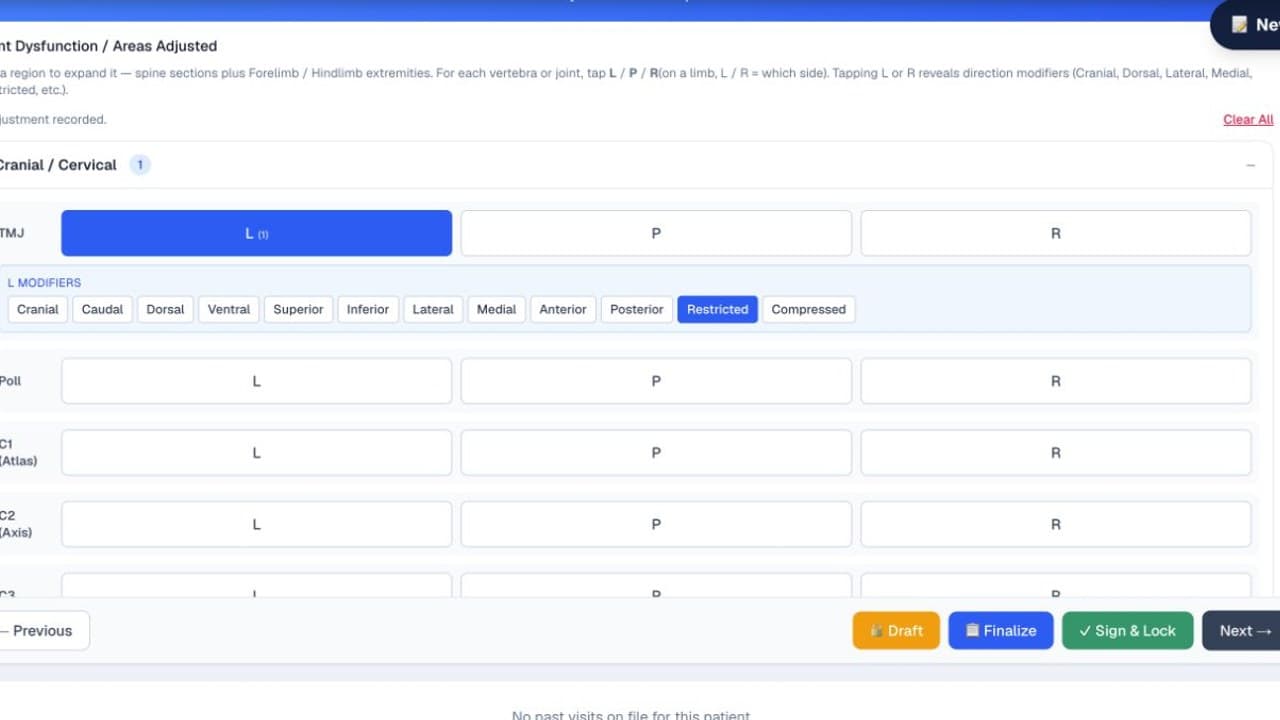
Five steps. Almost no typing.
A guided 5-step wizard — Note Info, History, Exam & Spine, Treatment, Plan — driven by checkboxes, toggles, and quick chips. Your structured selections compose an editable narrative. Optional voice transcription is available when you have a connection, while drafts autosave locally as you work.
Learn SOAP note best practices →
Transcription and composed text are editable drafts. Review, correct, and approve every field before relying on it, signing a record, or sending it.
Book. Remind. Confirm.
Manage your appointment calendar from one place. Due email reminders run each morning; consent-gated SMS reminders can be processed on demand. Clients confirm with a single tap.
Less paper. More connected records.
Send intake and consent forms directly to clients via text or email. Clients fill them out on their phone with built-in e-signatures. Data flows right into patient records.
Workflow tracking and e-signature capture do not establish legal compliance. Verify current requirements with the applicable licensing board and qualified counsel.
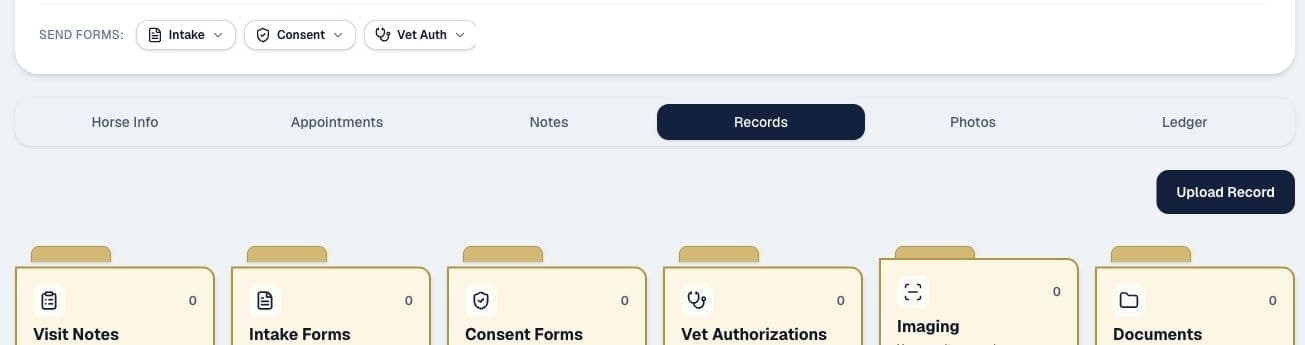
No signal? No problem.
Chiro Stride is a Progressive Web App with offline support for core field work. Access cached records, document visits, and capture photos without signal, then sync when you're back online. Voice transcription and signing require a connection.
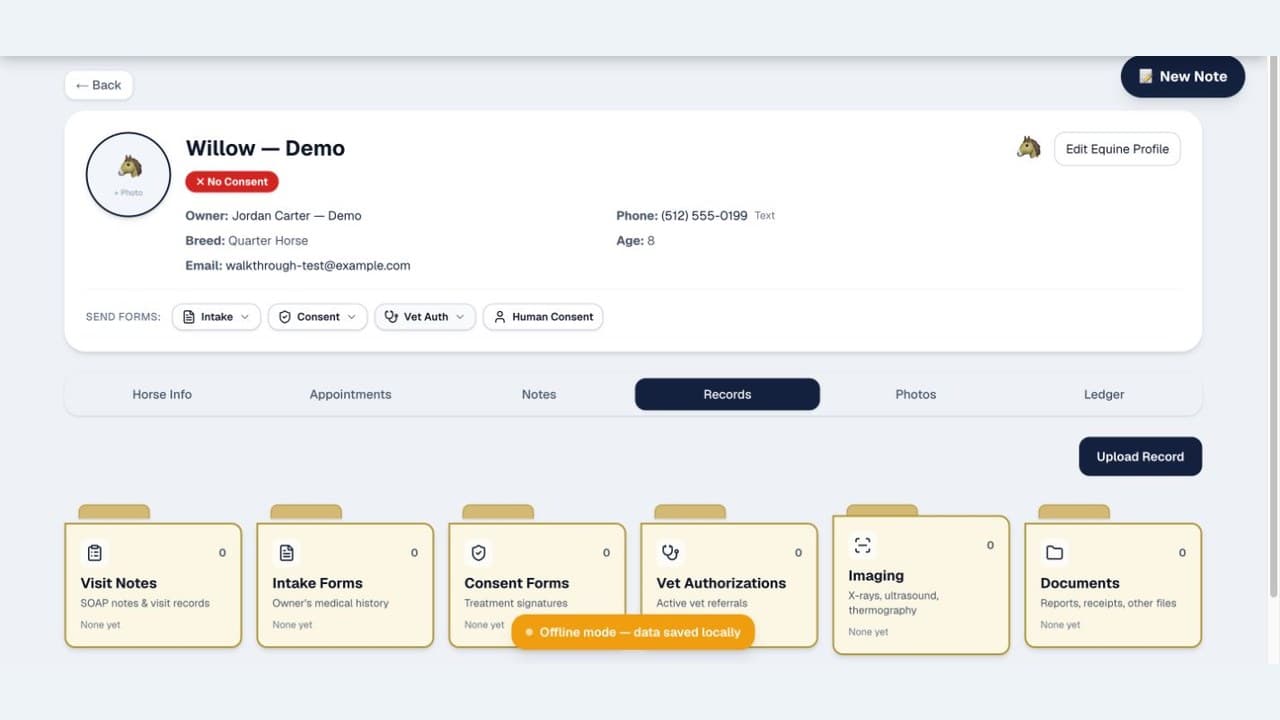
Requirements. Documented.
Veterinary-supervision and referral requirements vary by jurisdiction. Chiro Stride helps you document the authorization workflow — send a digital form to the veterinarian, collect an e-signature, and track expiration dates. Always verify the rules that apply to your practice.
Workflow tracking and e-signature capture do not establish legal compliance. Verify current requirements with the applicable licensing board and qualified counsel.
And More
Everything else you'd expect.
3D Anatomy Viewer
Interactive equine and canine 3D anatomy with species-aware clinical layers. Annotate directly on either model.
Reports & Analytics
Track revenue, appointment volume, patient trends, and more with built-in reporting dashboards.
Invoicing & Payments
Create and send invoices. When Stripe Connect is connected, add payment links that route funds to your own account. QuickBooks Online sync is available after you connect it.
SMS & Email + Delivery Log
Send confirmations, reminders, intake/consent/vet-auth links, and review requests via Twilio and Resend. Email supports delivery and bounce tracking; SMS is logged as sent or failed.
Photo Documentation
Attach photos to visits for visual progress tracking. Before/after comparisons made easy.
Secure & Private
Connections use modern encryption, with Supabase-hosted storage and row-level controls designed to isolate practice data.
Owner Management
Track multiple pets per owner. Manage contact information, communication preferences, and visit history.
Installable Web App
Use Chiro Stride in supported modern browsers and install it on compatible iPhone, Android, tablet, and desktop devices.
More real product screens
Field work, client records, and the business side stay connected
These screens were captured inside the signed-in product with fictional demonstration data.
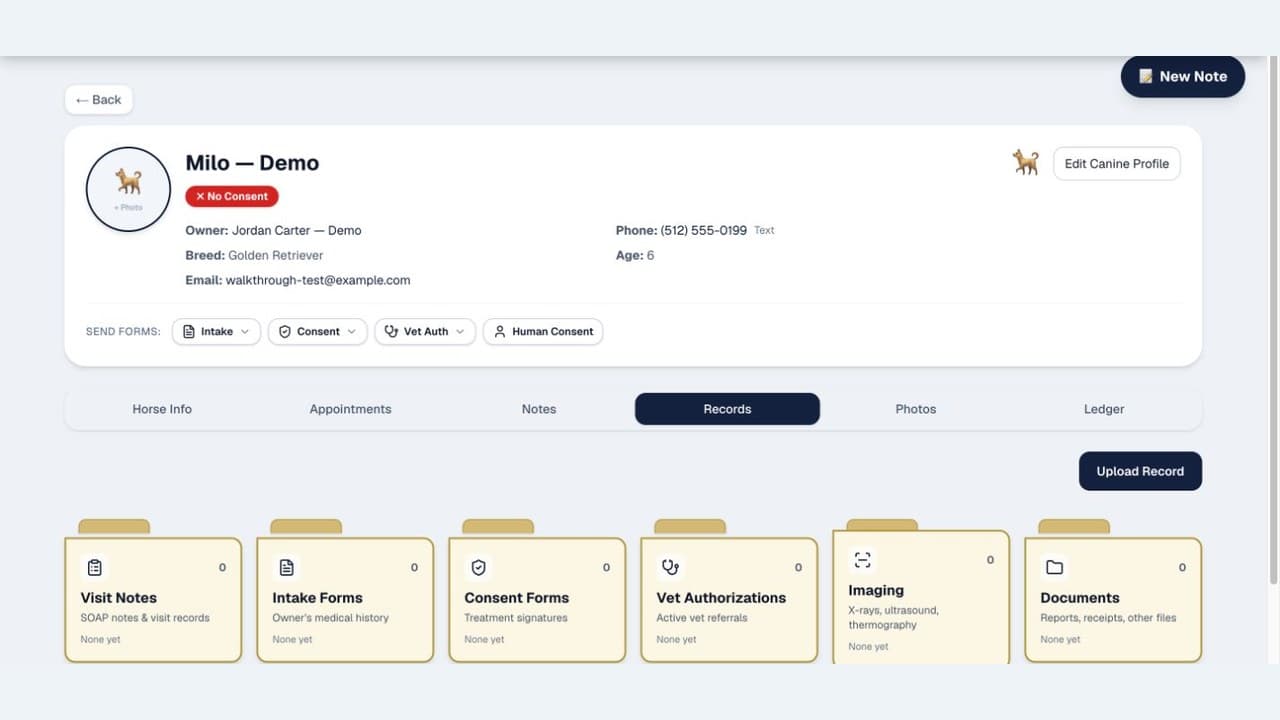
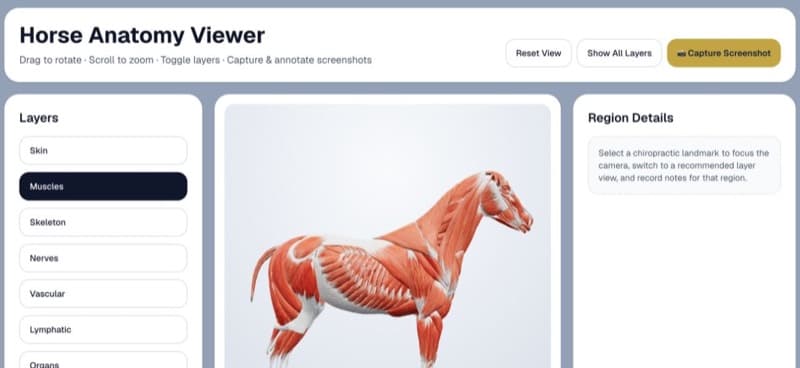
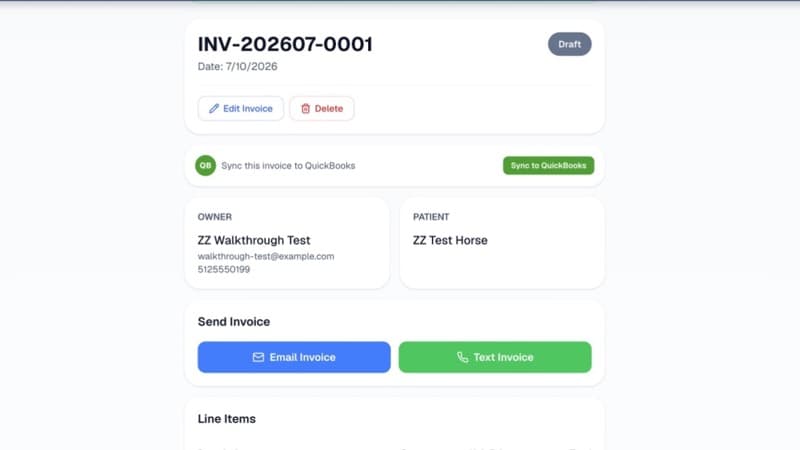
Product screens use synthetic demonstration data. Connected services, internet access, provider availability, and separate provider fees may apply.
FAQ
Feature questions
Does ChiroStride work without cell signal at the barn?
Yes, for core field work. To sign in without a signal, first enable Biometric Login under Account → Security while you're online and complete a Face ID, Touch ID, or fingerprint sign-in on that device. Password sign-in requires an internet connection. Cached records, visit documentation, and photos can then be used offline and synced when you're back in range; voice transcription and signing require a connection.
How do the structured SOAP notes work?
The ScribeWizard uses checkboxes, toggles, and quick chips to compose an editable SOAP narrative from your selections. Optional voice transcription can add free text to the active field when you're online.
Which animals does ChiroStride support?
Patient records and spine maps support horses, dogs, cats, goats, and other configured species. The interactive 3D anatomy viewer includes dedicated equine and canine models.
Does it handle veterinary authorization and referrals?
ChiroStride helps you send authorization or referral requests, capture veterinarian e-signatures, and track expiration dates. Requirements vary by jurisdiction, so verify the rules that apply to your practice.
Can clients pay through ChiroStride?
You can create an invoice after a visit. If you connect Stripe Connect, you can add a payment link the owner can use from their phone; QuickBooks sync is available when that integration is connected.
Do I need to install anything from an app store?
No. Install ChiroStride directly from your browser on iPhone, Android, or tablet — it behaves like a native app with no app store required.
See it in action.
Start your free trial today — no credit card required. Or read our blog to learn more about animal chiropractic practice.
Want to understand the impact of proper software? See how it compares to spreadsheet-based practices.